I’ve been in the SEO game since 2019.
Back then, almost everything you read online was written by real people, and no one was even talking about using AI for SEO.
These days, it’s rare to meet a marketer who isn’t using AI to speed things up. We’d have more manual work without AI SEO tools, but that doesn’t mean the work would actually be better.
Honestly, I think AI can easily replace entry-level SEO folks or writers who are create generic blog posts to game Google.
No one’s asking for yet another “Top AI SEO tools” article, but search for it, and you’ll see thousands of them. Most are written just to rank, not to help.
Whether we like it or not, AI is here to stay. So instead of fighting it, I believe we should figure out how to use it wisely.
As an SEO expert and content writer, I’ve been actively using AI tools since the ChatGPT introduction in November 2022. Even before that, I used Grammarly, which is technically an AI content writing tool.
Now, there are more SEO tools than ever before, and the biggest challenge is figuring out which ones actually fit your business.
In this post, I’ll share my experience with different AI-powered SEO tools and show how some of my AI-written articles perform in organic search results.
Furthermore, I’ll share some SEO best practices on how you can use these tools to grow your website without fear of getting a penalty from Google.
Sounds good? Let’s get into it!
Here’s a table of contents for your convenience:
Can AI replace SEO?
Statista reports that 49.1% of the 3,812 survey respondents worldwide in 2023 believe there will be a positive impact of AI on website search traffic over the next five years.
Although that’s only half of the respondents, the rest probably don’t know how to effectively use AI just yet. But if they don’t catch up soon, they’ll probably fall behind because AI adoption is moving fast, like in real-time, especially in search engine optimization.
Here’s what Semrush’s latest study on AI Mode reveals about how it’s changing the SEO game:
- AI Mode and other LLMs pull info from Google’s top 10 results.
- Perplexity matches Google’s top 10 domains in over 91% of cases!
- About 92% of AI Mode answers come with a sidebar that shows around 7 different links. These links have a 51% domain overlap and 32% URL overlap with Google’s top 10 search results.
- Reddit dominates across AI Mode, AI Overviews, ChatGPT, and Perplexity and appears in over 40.11% of results with additional links, outpacing traditional brand websites.
All this tells me is that Google still needs to get information somewhere to answer people’s questions.
So, where’s that information going to come from?
From our content!
But here’s the big question: How will Google decide which pages to recommend?
I truly believe it’ll come down to something we’ve heard before: E-E-A-T (Experience, Expertise, Authoritativeness, Trustworthiness).
I mention it every single time I talk about SEO content strategy because it’s just that important now.
As an SEO expert, I’m optimistic about the future impact of AI on SEO.
It’s not just about ranking #1 anymore.
It’s about building trust so your pages actually get shown to people searching for answers.
I met JC, a Senior SEO Strategist at Tripadvisor, during the AI SEO conference in Toronto, and I loved how he summed up the future of SEO in the AI era:
“AI SEO comes back to the fundamentals.”
I couldn’t agree more—but only if SEO is done the right way, the way it always should’ve been!
If you want to leverage the trend to your advantage, it’s time to start thinking about how AI can help your business thrive. One of the popular ways to harness the power of AI today is by using AI tools.
9 best AI SEO tools for impactful SEO work
As an SEO expert and content writer, I’ve used various tools to speed up my work. Honestly, not every AI SEO optimization tool delivers on its promise. Most tools provide useless advice and AI-generated content that can’t be published as it is.
That’s why I’m very selective.
I use some of the tools mentioned below to grow my website, like Semrush, Koala AI, Indexly, and ChatGPT, while others come in handy for client projects.
- Semrush One— Combines Semrush’s traditional SEO toolkit with advanced AI search features to help your brand be found in AI before the competition.
- Surfer SEO —An on-page SEO toolkit with AI-powered features for content generation and monitoring visibility in AI search results.
- Search Atlas — All-in-one SEO platform and a brand new alternative to Ahrefs and Semrush.
- Indexly — Get your pages indexed faster, track technical SEO issues automatically, track if your site is discoverable by ChatGPT, Perplexity, and other LLMs.
- SE Ranking — Solve any SEO tasks and automate your SEO processes.
- Rankability — AI-powered tool developed by Nathan Gotch to research, create, and optimize content for AI and organic search results.
- Keywordly— AI SEO content workflow platform for keyword clustering, researching keywords on Reddit, Amazon, YouTube, monitoring your brand’s visibility in LLMs, optimizing the content workflow, and more.
- Koala AI — An SEO content tool to create custom outlines and accelerate content creation for your blog.
- SEOpital— Automate keyword clustering and scale SEO content production.
Let’s review every tool in detail.
P.S. This post includes a few affiliate links. If you decide to try any of these tools, I might earn a small commission at no extra cost to you. Just being upfront about it! I’m only recommending tools I’ve used myself and truly believe in.
1. Semrush One
- Best for: In-house marketing teams, agencies managing multiple websites, individual site owners, and businesses.
- Best features: Personal recommendations with AI Assistant, Keyword Magic Tool, On-Page SEO Checker, SEO Audit, Keyword Strategy Builder, AI SEO Toolkit, and more.
- Pricing: Starts at $199/month and includes the traditional SEO Toolkit + AI Visibility Toolkit. 14-day free trial for Semrush’s One.
Semrush is an all-in-one tool you can use to manage every aspect of your website growth, from SEO and content marketing to social media and paid advertising.
As an SEO specialist and content writer, I’ve used Semrush for years to conduct site audits, track my website performance, run niche keyword research, and create optimized content.
Semrush has come a long way. It’s not the same tool it used to be.
Today, it has over 55 features for all kinds of marketing tasks, grouped into seven toolkits so you can quickly find what you need for your project.
Additionally, Semrush has been acquired by Adobe. This was totally unexpected news. So I’m guessing we’ll see Semrush grow even faster and roll out even more AI-powered marketing features soon.
Here’s a quick overview of every existing Semrush toolkit:
- SEO Toolkit: This one combines all SEO-related features for keyword research, domain analysis, link building, and site auditing to help you create an SEO strategy and boost organic search rankings.
- Content Toolkit (former ContentShake AI): This toolkit can help you optimize your content production process, from content brief generation to content creation and optimization.
- AI Visibility Toolkit: A newer addition that lets you track how your brand shows up in AI search results. It contains 100M+ prompts, which power the Visibility Overview, Prompt Research, and Competitor Research reports. It also covers 6 new regions for ChatGPT, AI overview, AI mode: US, UK, Canada, Australia, India, Spain.
- Social Media Kit: This one can help you manage all your social platforms in one spot.
- Advertising Toolkit: Research, plan, launch, and optimize your online ad campaigns.
- Local Business Kit: This one will help you manage your Google Business Profile and online reviews.
- Traffic and Market: This one can help you spy on your competitors (in a friendly way) to see what works for them and how they grow.
Semrush’s old pricing plans, Pro and Guru, now only cover the SEO Toolkit.
If you want to use it, you’ll need to upgrade to at least the Pro plan, which costs $139.95 a month.
However, if you are into SEO and AI, I suggest taking a look at Semrush One, which is Semrush’s newest toolkit that combines traditional SEO tools with advanced AI features to help you track and improve your brand’s visibility in AI search results. It lets you monitor 50 prompts and 500 keywords daily across 5 different domains.
One thing I like about Semrush is their quick customer support. If your card gets charged by mistake (happened to me once), they process refunds within a day. You just fill out a contact form, and they’ll email you to confirm the refund.
Before paying for any plan, I’d suggest trying the free trial first. That way, you can test it out and see if it’s worth it for you.
Here’s a little perk: My partner link gives you a 14-day free trial to Semrush One instead of the usual 7 days. Just a small way to get more time to explore and see if it’s a good fit! 😊
Below, I’ve put together a quick overview of Semrush’s AI and SEO features you’ll likely find helpful:
Semrush Copilot: It’s an AI-powered assistant that provides recommendations about your website’s SEO. In particular, you can receive suggestions on technical issues, keyword opportunities, dropped keywords, competitor ranking changes, lost backlinks, broken pages, organic visibility drops or increases, and more.
Basically, it notices important changes before you do and keeps you in the loop. Honestly, it’s one of my favorite features!
Key Topics: Instead of digging through competitor pages one by one, this handy report shows you their top-performing non-branded topics by traffic. Super useful for finding new content ideas without wasting hours. Note that it works for the Semrush Guru plan users.
AI Visibility Overview In the Domain Overview tab, you can now see your domain’s AI Visibility score with the number of mentions and citations updated daily. You can also see how well your brand appears in AI-generated search results across different countries.
I also find the Google SERP Positions Distribution report super insightful. It shows a share of your domain’s SERP positions across organic results, featured snippets, and AI.
Personal Keyword Difficulty: It’s an AI-powered metric that shows how difficult it will be for your domain to reach the top 10 of the SERP for a specified keyword.
Topical Authority: This metric shows the relevance of your domain to the target keyword.
Keyword Strategy Builder: It uses AI to research and recommend topic clusters for your website based on relevance and traffic potential.
I’m planning to build a pillar page around the keyword “Content SEO.” Semrush has already suggested a bunch of related keywords. I won’t use all of them, but a few are a really good fit for my site.
Position Tracking: It’s one of my most favourite Semrush’s features that shows the ranking changes daily. Recently, they’ve made it possible for you to monitor your website’s visibility within AI Overviews.
If you have a Semrush One Pro+, you can also track your brand’s visibility in ChatGPT and Google’s AI Mode.
Site Audit: Semrush’s has added AI-search related issues. This can help your site perform better in AI-driven search tools like SearchGPT, Claude, and Perplexity. For example, my site is clearly missing an Lllms.txt file. I’ll make sure to add it after researching the issue more extensively.
If you’re looking for more in-depth insights into your AI SEO efforts, Semrush’s AI Visibility Toolkit (included in Semrush One) can help you automatically evaluate your brand’s visibility across AI platforms like ChatGPT, SearchGPT, Gemini, and Perplexity.
It covers 6 new regions for ChatGPT, AI overview, AI mode: US, UK, Canada, Australia, India, and Spain.
In a nutshell, Semrush shows you how AI search engines see your brand compared to your competitors. Then, it gives you smart suggestions to improve your business, product, and marketing so you can meet people’s needs better and show up more often in AI-generated search results.
If you’re a content creator or site owner, this is an essential AI SEO tool you can add to your stack.
I’m not here to hype Semrush up just for the sake of it. Nope! I’m simply explaining why so many SEOs, including me, continue to trust and use Semrush, even with so many alternatives on the market.
You can learn more about my experience with using various Semrush features in this honest Semrush review.
If you’ve been thinking about trying Semrush One, here’s a little perk:
My partner link gives you a 14-day free trial to Semrush One instead of the usual 7 days.
Just a small way to get more time to explore and see if it’s a good fit! 😊
2. Surfer SEO
- Best for: In-house marketing teams, SEO content writers, individual site owners, and agencies that publish content at scale. If you regularly create content and want it to rank in organic search results and AI search results, Surfer is a go-to option.
- Best features: Surfer AI, AI Tracker, Topical Map, Content Editor, Content Audit.
- Pricing: Starts at $99/month, which includes optimizing 30 pieces of content, tracking 100 pages, running 100 keyword searches a day, and generating 5 AI-written articles. For more advanced AI tools, the Scale Plan is available at $219/month.
I’ve always thought of Surfer SEO as an on-page tool for researching, writing, and optimizing content to rank better. But honestly, it’s grown into so much more and offers plenty of helpful features for site owners.
Here’s a quick overview of Surfer’s tools and AI features:
Content Editor: This is basically your AI-powered writing assistant. It can help you improve and optimize a draft you already have, or it can generate and optimize new content based on your needs. When your draft is ready, Surfer checks it against your competitors and suggests related keywords, structural improvements, and even internal links.
If you use the Auto-Optimize feature, it will automatically add missing keywords and content sections. I suggest reviewing the draft afterward to ensure the content sounds human and it’s not over-optimized.
In my example below, I added a pretty detailed outline to generate the content with Surfy and optimize it based on the suggestions. And if the text feels a little too robotic, you can run it through the AI Humanizer to quickly make it sound more natural.
If you ever feel like your content is missing something, Surfer’s Coverage Booster feature can help. It suggests facts based on what the top-ranking posts cover, so you don’t leave out important details.
Overall, it’s a handy feature that gives you plenty of content ideas. My tiny suggestion is to double-check the facts for accuracy before adding them to your content. Additionally, as an SEO content writer, I’d also recommend including something original that your competitors haven’t talked about yet. That’s what makes your piece more valuable and helps it stand out.
Here’s a quick look at Surfer’s Coverage Booster in action. All you have to do is accept the recommended improvements if they add more value to your content piece.
Content Audit: Once you connect your website via GSC, Surfer analyzes the performance of your web pages and recommends improvements to boost the organic visibility of every individual page.
Honestly, it feels like this report replaces the need for those long manual content audits we used to do to spot low-hanging opportunities. Instead, Surfer checks your pages daily and points out what you can improve. You can make the changes yourself or let the Auto-Optimize tool handle it for you.
Topical Map: This report helps you see how well your content clusters are covered and points out gaps you might be missing. If you notice a topic that fits your site but you haven’t written about yet, just add it to your content plan.
With Surfer, you also get the usual SEO must-haves like Rank Tracker to follow your keyword rankings daily and Keyword Research to explore content clusters and see their traffic potential.
On top of the usual SEO and content toolkit, Surfer’s team has also added AI-powered features to keep up with the latest AI SEO updates — Surfer AI and AI Tracker.
Surfer AI can help you create long-form content (2,000+ words) that’s optimized for rankings. Once you input your prompt and hit “Write with AI,” you’ll have a complete article ready in 15–30 minutes.
Right now, it works smoothly in multiple languages, including English, German, Dutch, Polish, French, Spanish, Danish, Swedish, Portuguese, Brazilian, Portuguese, Italian, Czech, Japanese, and Norwegian.
AI Tracker is like your personal radar for brand visibility. It tracks mentions of your brand, products, or target prompts in AI-generated search results across Google’s AI Overviews, ChatGPT, and Perplexity.
Here’s how it works:
- Add your brand, prompts, and language
- Review and update the prompts if needed
- Let AI Tracker analyze your domain name
- Get visibility insights every week
AI Tracker is included in the Scale plan (up to 5 prompts). If you want more, you can purchase it as an add-on $95/month and track 25 prompts with daily updates.
Before recommending Surfer as one of the AI SEO tools in this article, I also checked what current and past users say about it.
Surfer has more than 419 reviews on Capterra with an average rating of 4.9 out of 5. Many users point out how easy it is to use, the helpful features, and the solid customer support.
For me, what stands out is Surfer’s wide range of on-page optimization tools and its new focus on AI-powered features that are supposed to make the content creation process more productive and help brands see how visible they are in AI-driven search results.
If you want to test Surfer yourself, keep in mind that they don’t offer a free trial. Instead, they have a 7-day money-back guarantee. So if you sign up for one of their monthly plans (Essential or Scale) and feel it’s not the right fit, you can contact their support within a week and get a full refund.
3. Search Atlas
- Best for: SEO professionals, In-house SEO teams, SEO agencies, individual site owners
- Best features: OTTO SEO, an automated SEO AI assistant, AI Content Writer, Site Auditor
- Pricing: Starts at $99/month for the Starter plan with 2 user seats and 5 site projects. 7-day free trial. Credit card required.
Search Atlas is a new all-in-one AI SEO tool that came out in 2024, and it’s already making waves as a fresh alternative to industry giants like Semrush and Ahrefs.
With Search Atlas, you can:
- Analyze any website’s traffic, keywords, and backlinks
- See which pages and keywords bring in the most traffic for your competitors
- Dig into their backlink profiles
- Discover the suitable keywords to target
- Optimize your content and track how it ranks
- Run technical SEO audits
- Find link-building opportunities and even automate outreach
- Save time with their WordPress plugin and SEO OTTO automation tool
- Speed up content creation using their SEO Content Assistant
- And honestly, a lot more!
What’s great is that you don’t have to bounce between a bunch of different tools since everything’s right here in one place.
I haven’t used it for long, but from what I’ve seen so far, it feels like a strong competitor to Ahrefs and Semrush.
And if you’ve used Ahrefs before, you might notice the interface looks familiar. It also shares some features with Semrush, which makes it pretty easy to get used to.
Here’s a peek at the Site Explorer feature.
It’s also worth saying a few words about one of Search Atlas’ standout features — OTTO SEO.
OTTO is like your personal AI assistant for your website. Once you add a tiny pixel to your site, it gets to work behind the scenes, checking for technical issues, analyzing your content, and offering ways to improve—all from one easy-to-use dashboard.
Think of it as a hands-off way to grow your traffic and improve your rankings without getting buried in SEO tasks.
I also checked out what people are saying about Search Atlas on G2 and Reddit. The feedback is mixed.
Some users say it takes a bit of time to get used to the tool, and a few wish the support team was a bit faster and more helpful.
I think any solid tool comes with a bit of a learning curve. Since Search Atlas is an all-in-one SEO platform, it makes sense that you’d need a little time to get comfortable with it. But honestly, if you’ve used Ahrefs before, the interface should feel pretty familiar and easy to navigate.
I’ve also published an in-depth Search Atlas review recently to help you get a detailed overview of the tool’s features and data accuracy.
Another plus, it’s more budget-friendly than Ahrefs or Semrush. Pricing starts at $99/month, and that includes two user seats and five website projects.
I also found a helpful Reddit review that might help you decide if it’s worth giving a shot.
Curious how Search Atlas stacks up against tools like Ahrefs or Semrush?
Try Search Atlas free for 7 days and see how this all-in-one SEO tool works.
4. Indexly
- Best for: Website owners to get their sites indexed faster, ecommerce websites, website owners on a budget
- Best features: Instant Indexing, Bulk Index, Page Inspect, LLM Indexing Toolset
- Pricing: Starts at $14 monthly for 3 websites, there’s also a 14-day free trial. To access Indexly’s LLM Indexability feature, try the Business Plan for $79 per month.
Many content creators assume their content becomes searchable right after hitting “Publish,” but that’s not the case.
If you’ve just launched a website or run an online store with multiple product pages, you may encounter a common issue: “Crawled – Not Indexed” or “Discovered – Not Indexed.”
This is why new URLs or product pages often remain unnoticed.
To keep track of your pages’ indexing status effortlessly, I recommend Indexly.
I use Indexly to get my website pages indexed faster (usually within hours).
Think of it as a VIP lane for search engines to quickly discover, index, and rank your pages faster than usual!
One standout feature is auto-indexing, which monitors all page statuses in a single report and automatically submits new pages for indexing. This way, you won’t miss anything—super convenient!
I believe Indexly is a game-changer for new sites that usually wait weeks to get indexed (like mine did).
It’s also ideal for ecommerce sites with many product pages, as some can get overlooked by web crawlers.
With the Instant Indexing report, for instance, I can spot problematic pages and use “Index” to instantly submit them if I think they should rank on Google.
It’s incredibly useful!
Indexly has recently introduced more tools for rank tracking, keyword analysis, and LLM indexability tracking. It’s a super helpful feature on top of everything else technical-SEO-related.
Even though it takes some time to get ranking updates, you can use Indexly to track impressions, clicks, CTR, and position for your target keywords.
First-time users can get 25% off any Indexly plan by using the discount code INDEXLYCOUPON at checkout.
5. SE Ranking
- Best for: SEO professionals, in-house SEO teams, Small businesses, and mid-size SEO agencies.
- Best features: On-page SEO Checker, Content Marketing Tool with AI Writer.
- Pricing: Starts at $65 per month for 1 user seat, 5 projects and 500 tracked keywords. 14-day free trial, no credit card required.
SE Ranking has been in the SEO and digital marketing tool market for years. I’m sure you’ve stumbled upon SE Ranking while trying to find solutions for keyword research, site audits, rank tracking, and more.
Besides offering standard SEO toolkits, it has recently implemented a vast range of AI tools to help SEO pros build and implement effective strategies.
In particular, SE Ranking offers an AI toolkit that can help you:
- Analyze LLM results for your target keywords
- Track your brand visibility and positions among AI citations
- See how your competitors rank in AI-generated search results
- Analyze and track AI Overviews
SE Ranking doesn’t just stop there.
It offers a Content Marketing toolkit with two features: Content Editor and Content Idea Finder.
Similar to Semrush, you can check your content score against top-performing pages in the SERPs and gives you suggestions to make your content more optimized based on what works best.
On top of that, SE Ranking uses AI to analyze search results for your target keyword, estimate potential organic traffic, and give you reliable data and insights.
I’ve been familiar with SE Ranking for years and am currently using their 6-month plan. It’s a solid SEO platform, supported by 1,300+ reviews on G2 and an impressive 4.8/5 rating.
I’ve published an in-depth post about SE Ranking alternatives in case you are looking for other solutions.
6. Rankability
- Best for: SEO content writers, Content managers, SEO teams.
- Best feature: Content Optimizer, Content Monitors, and Keyword Finder.
- Pricing: Starts at $149 per month for 2 user seats, 20 content optimizers, 16 AI-optimized articles, and 50 keyword searches.
Rankability is an AI-powered SEO tool designed to help you research, write, and optimize content for both search engines and AI platforms like ChatGPT or Perplexity.
It was built by SEO experts Nathan Gotch and Simon Smith, who have been in the SEO space for years. Personally, I first discovered Nathan’s YouTube channel a while back and learned a ton from his videos. He’s published almost 300 videos on SEO and is still active, so if you want free SEO tips, I’d definitely recommend checking him out.
Here’s how Nathan explains the mission behind Rankability:
“After years of wrestling with clunky SEO tools, we built Rankability so agencies can finally focus on real results—not guesswork. Our mission is to help you win visibility, no matter how search evolves.”
— Nathan Gotch, Co-Founder
Before adding Rankability to my list of recommended AI SEO software, I tested Rankability myself on my own website. Below, I’ll walk you through its key features and share how it worked for me.
Rankability’s core features:
- Content Optimizer — This feature can help you optimize your existing content in real-time based on a “rankability score,” which measures the content quality and relevance.
- Keyword Finder — This toolkit can help you research keywords, questions, and topics relevant to your audience across Google, ChatGPT, and other platforms.
- Content Monitor — Helps you keep track of how well your content stays relevant over time.
- Briefs and Outlines Generator — This feature can help you instantly generate custom outlines and content briefs based on your target keyword and instructions.
- AI Analyzer (soon) — This feature will help you track, measure, and improve your brand’s visibility in LLMs and AI Overviews.
Let me share my favorite Rankability features and what they helped me achieve.
As a website owner, the Content Optimizer and Content Monitor stand out the most for me. They work perfectly together.
Here’s how:
- Content Optimizer shows me how my content stacks up against competitors on page one of Google and what keywords to add.
- Once optimized, I plug the URLs into Content Monitor, which tracks daily how relevant and competitive my content remains in organic and AI search results.
For example, one of my top-performing posts, Ahrefs alternatives, lost rankings after the June 2025 Google Core update. Since this is one of my top-performing pieces, I wanted to bring it back to the top.
When I uploaded it to Rankability, it scored only 49/100. The tool suggested aiming for 66, so I updated the piece accordingly.
I updated the post at the end of July 2025, while the following month, it hit the Google front page according to Semrush.
Content Monitor makes it easy to track whether my content is still relevant, as AI, search results, and Google’s algorithms keep changing based on how people search.
For example, if you track your site’s URLs with Content Monitor, you’ll quickly spot which pages perform well and which ones need an update.
That’s exactly what happened with my Semrush review. It was perfectly relevant at the end of July 2025, but just a month later, its relevance decreased.
If you plan to use the Briefs and Outlines Generator a lot, I’d recommend having your SEO specialist review the outlines before passing them to writers. From what I’ve seen, the suggested word counts aren’t always optimal, especially for the high-competition keywords. The recommended meta-titles could be more catchy to grab users’ attention.
Another thing I’ve noticed is that the generated outlines do not always align with user search intent. That’s just been my experience, though, yours might be different.
Rankability starts at $149/month ($124/m with an annual plan) and comes with a 7-day free trial. So, you can test the power and helpfulness of this tool for your website and see the positive impact for yourself.
On top of the tool itself, Nathan Gotch also runs free monthly masterminds, where he answers SEO questions and shows how to get the most out of Rankability.
And they’re not stopping here! The Rankability team is working on revamping the Keyword Finder and the upcoming AI Analyzer, which will help you track and grow your brand’s visibility in AI search results and LLMs.
Highly recommend checking out Rankability!
7. Keywordly
- Best for: SEO writers, SEO strategists, Website owners on a budget
- Best features: Keyword clustering, Content creation workflow automation with AI, Outline generation, GEO/LLM SEO, keyword research for Reddit, Quora, Amazon, and YouTube.
- Pricing: Starts at $14 per month. After registration, you’ll get 20 credits to test the tool, where each task consumes 2-3 credits. $299 lifetime access.
If you work with content and SEO regularly, you might want to check out Keywordly AI, which is an SEO content workflow tool.
Here’s what you can do with Keywordly:
- Research keywords for Google and Bing ads
- Find related and long-tail keywords
- Find conversations on Reddit and Quora related to your topic
- Spot keyword gaps between you and your competitors
- Find product keywords for Amazon
- Get hundreds of ideas from just one seed keyword (kind of like Semrush’s Keyword Magic tool)
- Create topic clusters
- Analyze how your brand performs across language models, like ChatGPT and Perplexity
- Get optimization suggestions to boost your brand’s LLM visibility
- And more!
Pretty solid AI SEO tool, right?
Below, you can see Keywordly’s Brand Visibility report that shows whether your website gets mentions in LLMs and, if so, which keywords trigger mentions.
Personally, I love the Reddit keyword feature. It saves me time by showing me relevant subreddits and discussions. If you use Reddit for marketing, I think you’ll find it helpful too.
Keywordly is still a newer tool and is actively being developed. The team behind it is super responsive. They actually listen to feedback from their community and keep improving based on what users need.
I also did a full review of Keywordly in my post about keyword clustering tools, if you want to dig deeper.
Unlock 20% off your Keywordly subscription today! Just enter code KEYWORDLY20 at checkout and start optimizing smarter at a better price. Don’t miss out!
8. Koala AI
- Best for: SEO writers, SEO professionals, Website owners on a budget
- Best features:
- Customize the tone of voice
- Ability to specify the word count
- Ability to customize the outline before generating content
- Pricing: Starts at $9 per month. You can generate up to 5,000 words for free.
I’ve used Koala AI to create content for my website. In fact, I even generated my Koala AI review using Koala.
Combined with my expert insights and personal opinion, this AI-generated article now ranks in the top 10 for the target keywords.
I like this tool because it’s user-friendly and provides plenty of customization options before generating content. You can select the tone of voice, set the word count, specify your target keyword for optimization, choose the target country, customize the outline, and even pick from 100 different languages for content creation!
You can generate up to 5,000 words per month for free. That’s enough for 1–2 articles. If you need more content, the Koala’s paid plans start at $9 monthly for 15,000 words.
Apply this discount code to get 15% off on all Koala AI payment plans: COUPON15
9. SEOPital
- Best for: SEO professionals, in-house SEO teams, SEO agencies
- Best features: AI Tracking (ChatGPT and Perplexity), Content generation and optimization.
- Pricing: The Basic plan starts at $49 per month to generate 10 and optimize 20 content pieces. You have 5 credits to test the platform, where every task consumes 2-3 credits. No credit card required.
SEOpital is an AI-powered SEO tool for content tasks. It has also recently added a new feature to monitor your website rankings in LLMs, like ChatGPT and Perplexity.ai.
Here’s what SEOpital can help you do:
- Generate content based on your detailed requirements, including keywords, outline, content type, conclusion, FAQ section, and language.
- Automatically publish a newly-generated content piece to your website
- Create a keyword project to speed up content production
- Track your website’s mentions across AI search engines.
Here’s an example of a content piece that SEOPital generated for me within a few minutes for the “AI SEO Tools” keyword.
Even though the tool is fairly new, hitting the market in 2023, it’s already letting users quickly create articles and publish them straight to their WordPress site through seamless integration.
The SEOpital team says what sets it apart from other AI SEO tools is “its ability to excel in complex subjects.”
Plus, it’s earned over 49 reviews on Capterra with an impressive average rating of 4.7 out of 5.
How to use AI for SEO
Since Google is the most popular search engine, I’ll mainly talk about it in this article.
Google has clear guidance when it comes to AI-generated content on the web. If you haven’t read their statement, here’s the link to their article on “Google’s guidance on AI-generated content” and an excerpt from it:
“When it comes to automatically generated content, our guidance has been consistent for years. Using automation—including AI—to generate content with the primary purpose of manipulating ranking in search results is a violation of our spam policies.”
Basically, Google doesn’t care how you produce content if it’s helpful for people. However, using generated content purely for ranking manipulations is a serious policy violation.
Since most site owners don’t care about these warnings, Google introduced the Helpful Content algorithm updates to remove unhelpful content from top-ranking search results.
Have you seen a decline in impressions and clicks after any algorithm update?
It did not happen to me (thankfully), but I’ve talked to several website owners whose websites were severely impacted by the Helpful Content update.
Here’s just one example from Kristine Schachinger, a fellow SEO expert and consultant:
What does this story teach us?
AI for SEO can be your friend if you know how to leverage AI tools carefully and consider users’ needs and wants while creating new content.
In my case, I use the following proven-to-work strategies to grow my website and client websites with AI.
1. Consider search intent
Search intent is basically the reason someone types something into Google.
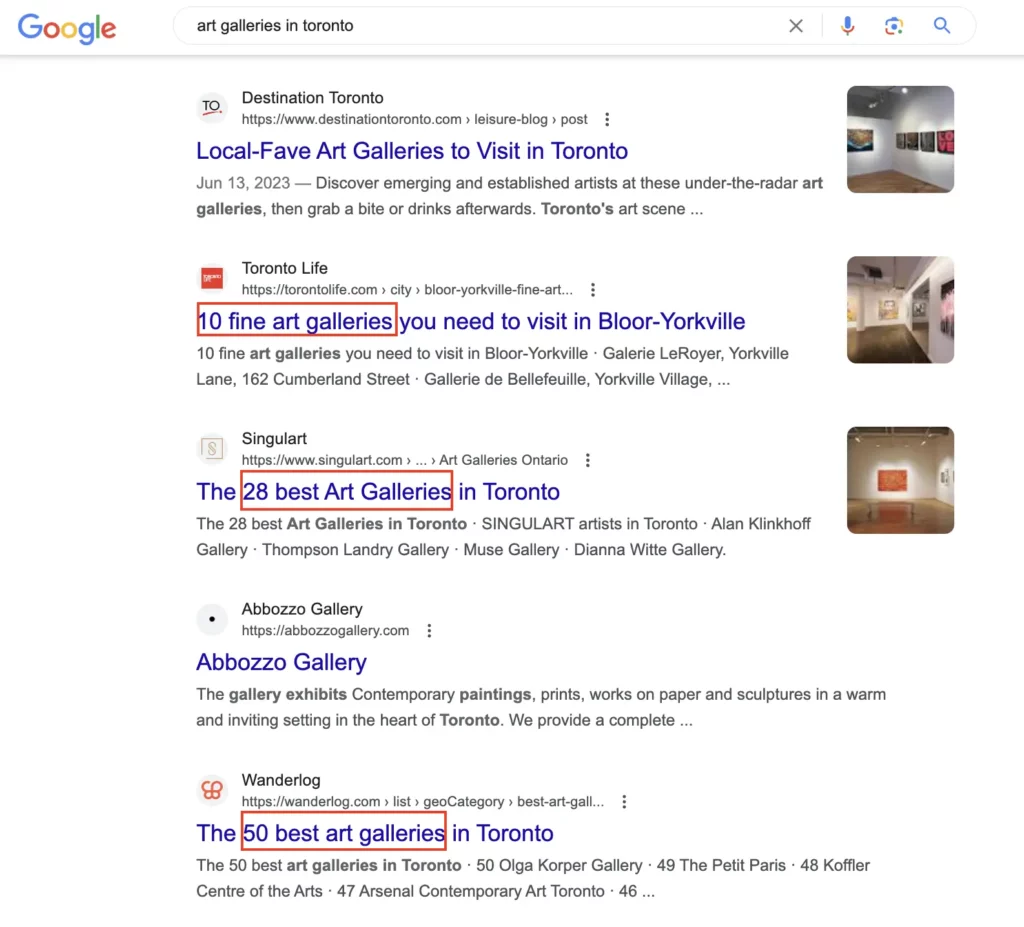
Let’s say someone’s looking to compare art galleries in Toronto. If you try to send them straight to your landing page, chances are it’s not going to work.
That’s because Google usually has a pretty good idea of what people want when they search for something like this. In this case, it’s often helpful, informative content like listicles that compare different galleries.
How do you know what your users expect to see when they browse anything on the web?
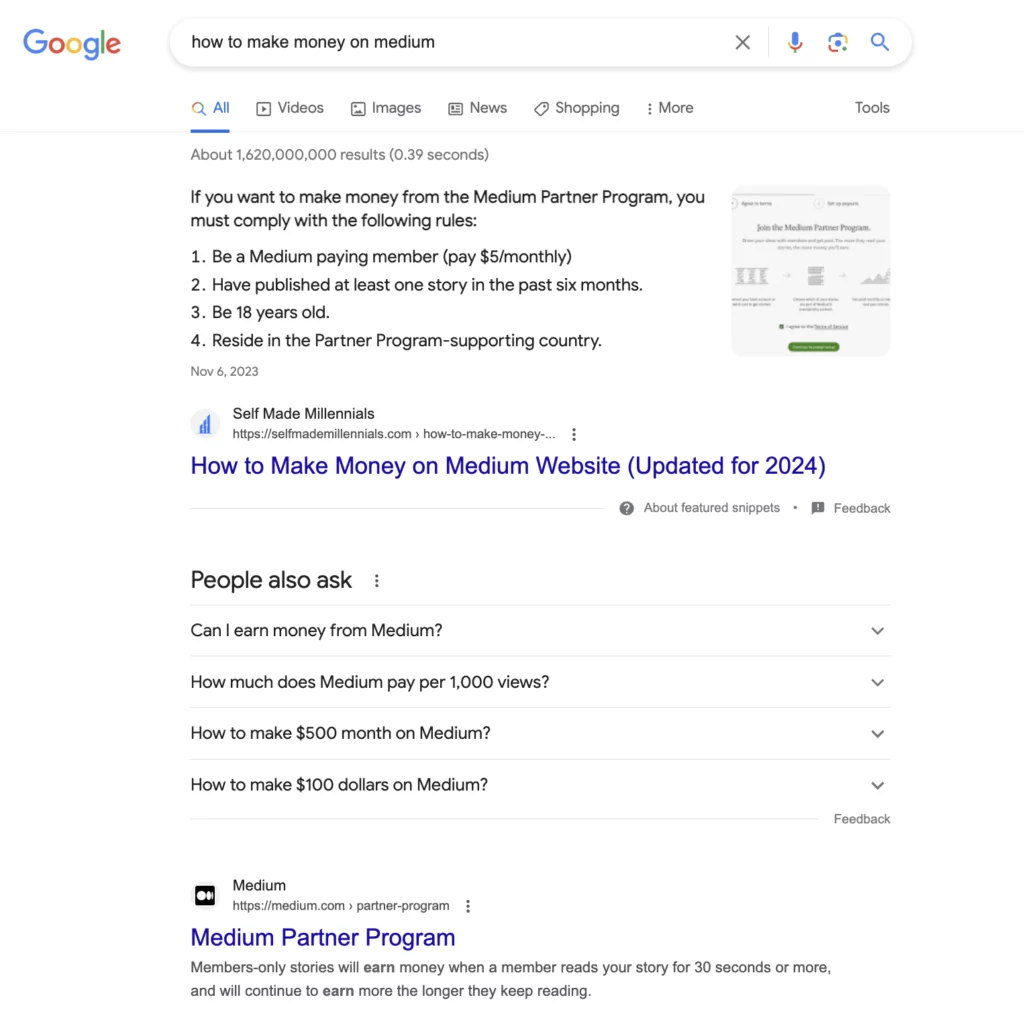
You can check search intent manually by conducting SERP analysis — analyzing the top 10 organic search results, like in the example above.
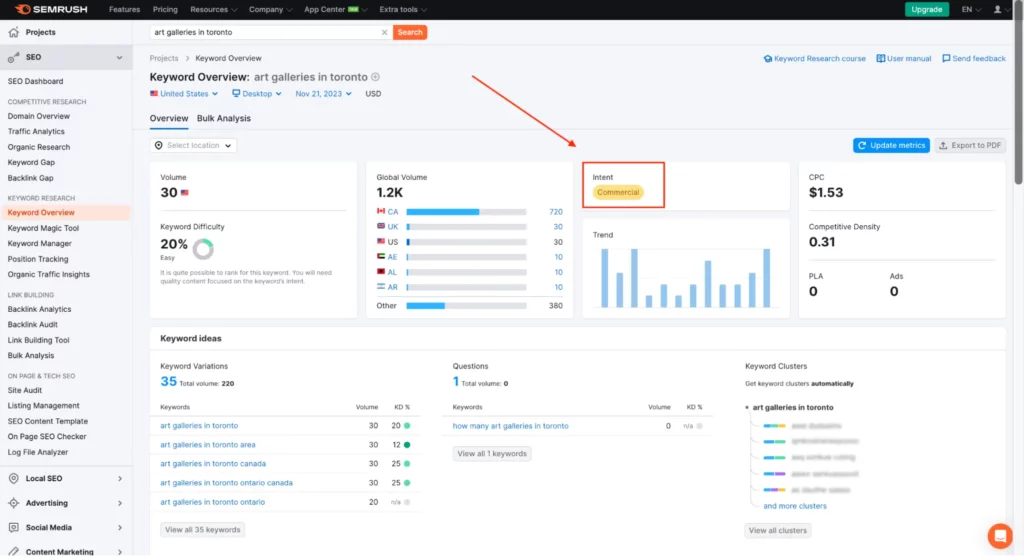
Additionally, you can use tools like Semrush One or Ahrefs that show search intent for every keyword. Semrush has a free plan that you can use to conduct limited keyword research.
2. Align your content with E-E-A-T
You may have come across the Experience, Expertise, Authority, and Trust (E-E-A-T) quality rater guidelines since it’s been a topic of discussion for a while.
The primary aim of this important update is to assist Google in identifying which sites possess authority and trustworthiness online.
Experts running niche websites, blogging about their areas of expertise, maintaining active social media profiles, and being referenced and quoted on other platforms likely know what they’re talking about.
As a result, Google may elevate websites where it’s evident who is behind them and what their qualifications are.
If you use AI SEO tools to create content, and it is optimized for E-E-A-T, it could potentially rank!
Here is what you can do, in my opinion, to align your website with E-E-A-T:
- If you have a blog, include an author bio section, which will help readers (and Google) understand who wrote the content and whether the writer has enough expertise
- Add links to social media accounts or any other platforms featuring the author
- Mention rewards and recognitions
- Mention content editors if there are any
- Share content on your social media accounts and ask your authors to do the same
- Ask the author to include case studies, stories, and personal opinions in the content
These are my recommendations based on my experience using AI SEO optimization on my website. However, I’ve stumbled upon similar feedback from other content creators on Reddit:
Note that it’s even more critical for the Your Money, Your Life (YMYL) topics, which include healthcare, personal finances, insurance, investment, and similar topics.
AI tools for SEO will unlikely help you create and optimize content for rankings if you operate in these niches since Google prioritizes content from certified experts only!
3. Use AI tools for SEO to complete these tasks
Based on my experience, free AI tools for SEO, such as ChatGPT, can perfectly handle the following tasks:
- Write definitions
- Create short FAQ answers
- Write pros and cons (although fact-checking is required)
- Write code for schema markup
- Write summaries
- Write conclusions
To say more, AI SEO software are much better at writing succinct and clear definitions than human writers.
Here’s how Gemini replied when I asked it to create a brief answer to the question,“What’s AI SEO?”
I am not ashamed to say that I use the best AI SEO tools, like Koala AI, and ChatGPT, to write definitions on my website. I haven’t seen any negative impact as long as I proofread content and align it with E-E-A-T and users’ search intent.
My AI SEO case study
Now comes an exciting part you’ve probably been waiting for.
Since I run a Contentpreneur Corner newsletter and share my SEO thoughts on my Medium blog, people frequently ask me how to use AI to create optimized content without getting banned by Google.
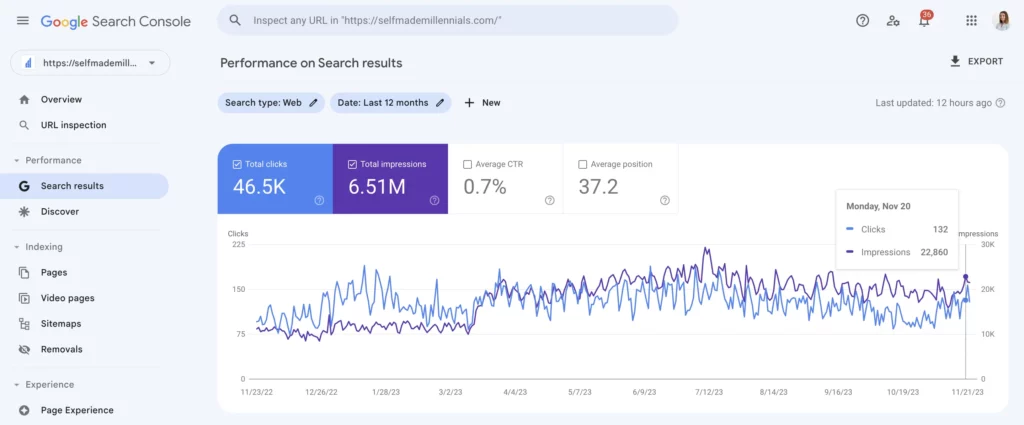
I use AI SEO tools to create articles for my website, including the one you are reading now. Nevertheless, my website’s traffic has been steadily growing with ups and downs.
Here’s a proof.
My website has continued to grow, even though I’ve spent almost no time on it. Thankfully, AI has made content creation faster.
I use multiple strategies to create content for my site, which can also help you grow yours using AI. I break down all the details in my SEO ebook, but you can also find the summary below.
The first step I take before creating content is keyword research.
I suggest using Semrush One for keyword research. It’s one of the top tools available, with multiple helpful features for various SEO tasks.
You don’t have to upgrade to the paid plan if you want to check keywords in Semrush occasionally. You can use the Semrush free plan for up to 10 keyword searches per day.
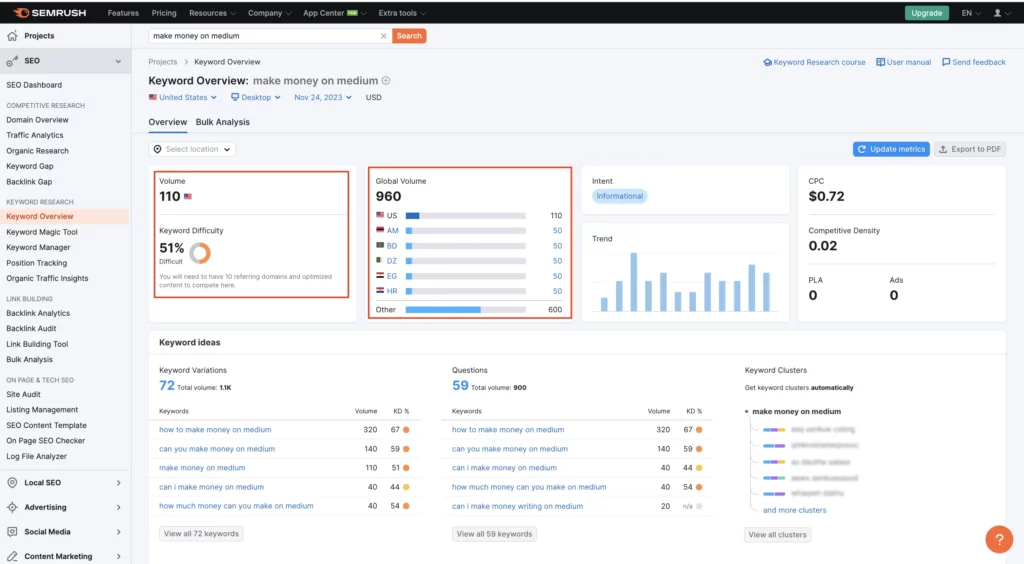
I recommend checking the following metrics:
- Monthly search volume in your target country
- Search volume globally
- Keyword difficulty
- Keyword search intent
Does your keyword have a decent search volume and manageable competition? Do you think your website has a realistic chance of ranking for it?
If not, it’s better to look for another one—it’s not worth wasting time and resources.
If yes, that’s great!
I covered the entire process in detail in this niche keyword research guide.
Now, let me guide you on the next steps.
I used to manually review the top 10 search results to build an outline and gather semantically related keywords.
Today, you can do it in a few minutes with AI tools for SEO, such as Semrush Content Toolkit (formerly Contentshake AI), ChatGPT, and Frase.io.
It’s up to you what tool to use.
I use ChatGPT and Semrush to generate outlines.
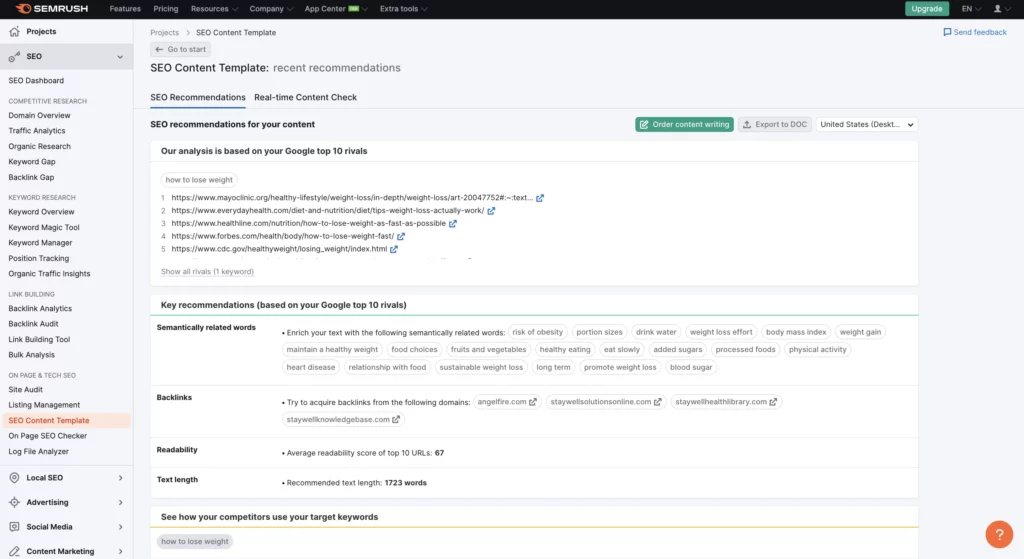
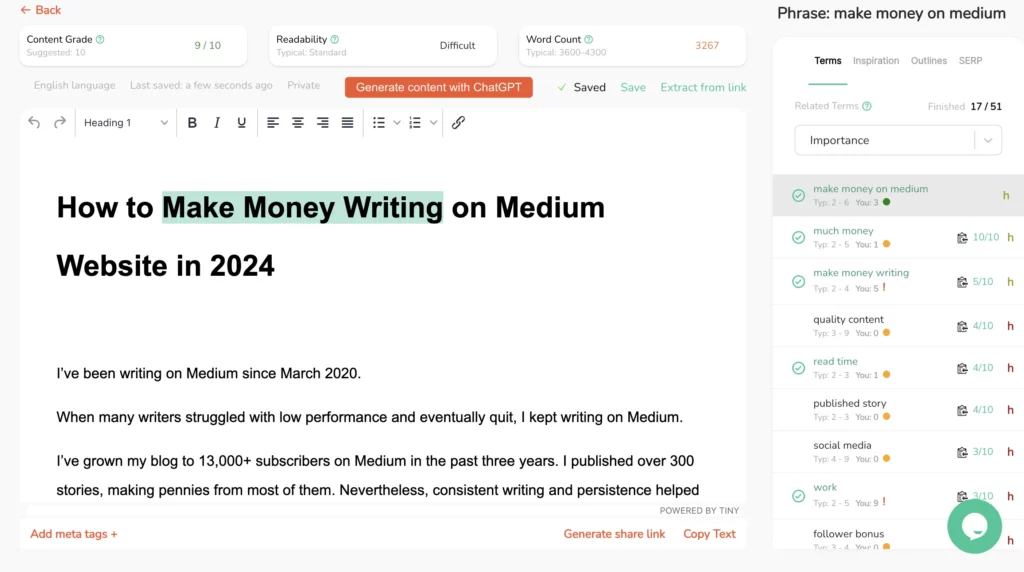
In addition to outlines, Semrush’s Content Toolkit can also recommend related keywords, suggest the word count, analyze your content readability, and highlight keywords in the content.
You can start typing directly in a tool or use ChatGPT integration to generate content.
I’m still creating most of my website content in Google Docs, but I actively use ChatGPT to write definitions, FAQ questions, and comparisons.
As long as your article is helpful and satisfies user search intent, Google won’t flag it as unhelpful.
It’s also a good idea to include your experience and opinion in the article, share a personal story, and add practical recommendations people can apply in real life.
If that’s your personal website, ensure you have an author bio section explaining who you are, your education, and your experience related to the topic. It will help you make your author bio unique and helpful for readers, grow your personal brand, and align your content with E-E-A-T.
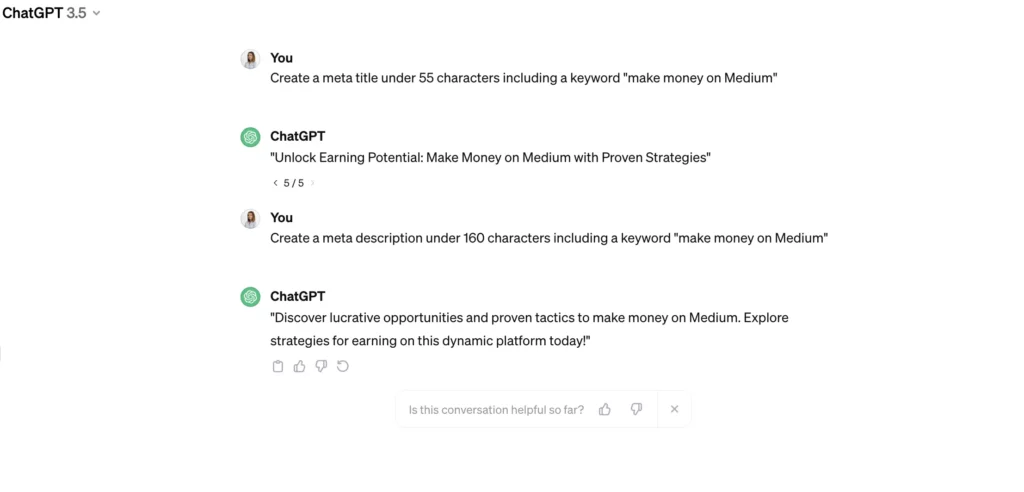
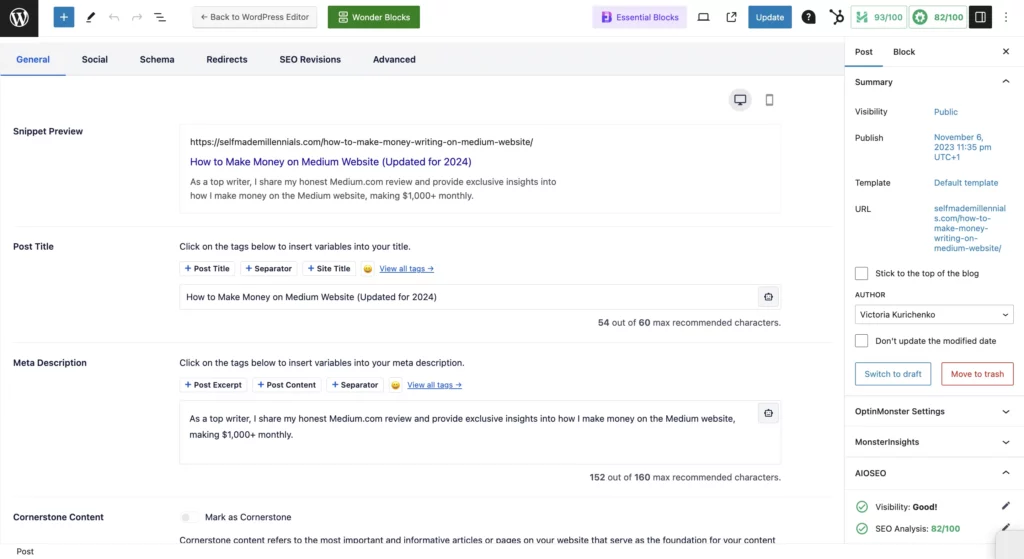
Even though ChatGPT and Gemini aren’t very creative, I encourage you to create metadata using AI tools.
I highly recommend reviewing the meta titles of the top 10 ranking websites before using the ones generated by AI. You must ensure your metadata is more catchy than what’s already ranking in the top 10 search results.
Another critical step in the content creation process is on-page optimization.
To improve the chances of ranking in organic search, content must be optimized. I tried fully handing this task over to AI SEO tools, but it didn’t work as expected.
I used ChatGPT and Gemini, but they couldn’t complete the task effectively.
So, I recommend checking if both your AI-generated and human-written content include the target and semantically related keywords in these key areas:
- Meta title
- Meta description
- H1 title
- H2, H3, H4 subtitles
- Content introduction
- Every 300 words of the content in the body
- Alt text
- Image file names
- Page URL
- Etc.
Once you are done, upload the content to WordPress or another CMS system before publishing it on your website.
If you need help creating high-ranking content for your website, I offer SEO content writing services.
Once you are done optimizing your content, hit “Publish.”
From now on, your task will be tracking impressions, clicks, and rankings of the recently published article.
Whether you use this strategy for new content creation or content updates, you’ll likely see the first positive results in a few days.
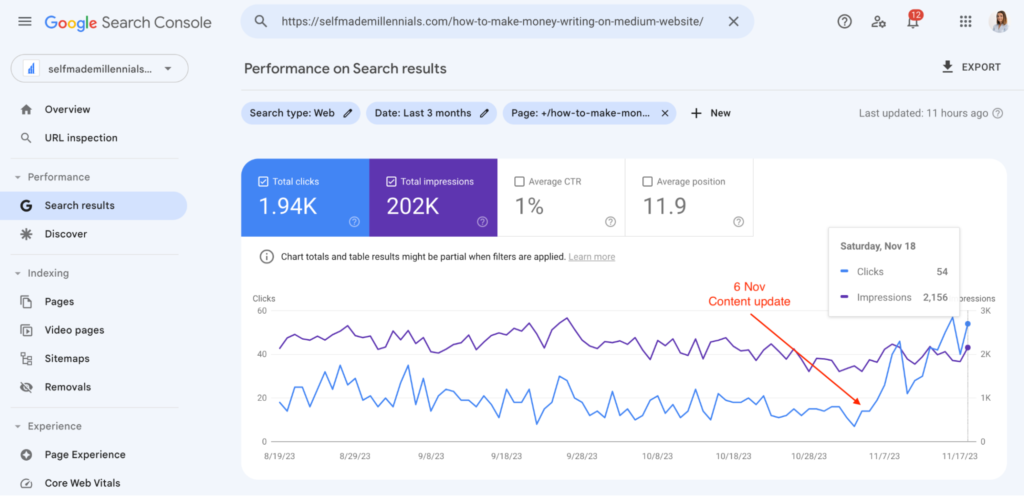
In fact, here is how the performance of my Ahrefs alternatives post improved after following all the steps described above.
FAQ on AI and SEO
Concluding an article with an FAQ section is an excellent SEO practice.
You provide answers to the common users’ questions and optimize your article for a possible featured snippet in search results.
I occasionally use AI tools to generate answers, but I fact-check and edit them before publishing. It’s a perfect synergy of AI and human writing.
What are AI SEO tools?
Artificial intelligence SEO tools are basically software that helps businesses get better at ranking in organic search results.
These tools can automate many of the tasks involved in SEO, such as keyword research, content optimization, and technical SEO. Plus, some tools offer tips on how to boost your site’s performance and climb higher in organic search results.
Some people fear using AI tools since they can potentially replace their jobs. I’d say this shift is already happening …
One of my former bosses let go of a full-time copywriter because he felt her work wasn’t much different from what ChatGPT could do. So, he decided to go with AI-generated content instead.
I’m sure things like this happen in other companies, too.
Right now, not every job is being replaced by AI, but that could change. It’s something we should all be prepared for.
If you work in the SEO field, calm down! SEO will likely continue existing as long as people use Google search.
However, SEO has been transforming a lot with Google search generative experience (generative AI). Therefore, you, I, and other SEO specialists should keep an eye on the recent updates and adapt accordingly.
How does AI impact SEO?
As an SEO content writer, I’ve noticed how AI-generated content is taking over lately. A lot of companies and website owners seem to care more about sharing tons of content instead of making sure it’s actually good, and I have a feeling this trend isn’t going away anytime soon.
Relying too much on AI comes with some risks. For example, sites using mostly AI content could get hit hard by Google’s algorithm updates.
Another concern is that some websites might start seeing a decline in organic clicks and impressions now that AI Overviews are rolling out in over 100 countries.
The feature just launched in Canada on October 28th, 2024. I’m still testing how it works, but it already shows up a lot for informational searches. That could be a problem for websites that rely heavily on that kind of traffic.
How do you choose the right AI tool for SEO?
When choosing an AI tool for SEO, consider your specific needs and goals, such as content optimization, keyword analysis, keyword tracking, or backlink analysis.
For example, my main goal is to speed up content creation. That’s why I prioritize tools that help me accomplish this. Once the content is drafted, I can either optimize it manually for better rankings or use Semrush to gather keyword suggestions.
So, always start with a “Why?”
Is AI-generated content bad for SEO?
Ahrefs’ study of 600,000 analyzed pages discovered that AI-generated content doesn’t hurt your Google rankings.
As an SEO expert, I believe that content quality matters a lot in SEO. The most relevant and helpful content, aligned with users’ search intent and properly optimized for rankings, can rank high regardless of how it’s created.
I’ve already outlined my approach to using AI tools for SEO content creation earlier. I’m confident that this method works, as my website has never been penalized by Google.
So, stick to white-hat SEO strategies! While you might not see immediate results, it’s a sustainable long-term approach.
How to use AI for keyword research?
I think AI tools are super helpful when you’re just starting out and need keyword ideas based on a seed keyword. But when it comes to digging into the details, like search volume, keyword difficulty, or user search intent, they fall short.
Plus, you have to consider factors like your website’s domain authority and the competition in the search results when figuring out your chances of ranking. AI tools aren’t built to provide that kind of in-depth data.
Instead, you can use free AI tools, like ChatGPT or Gemini, to brainstorm lots of keyword ideas related to your niche. Then, bring in SEO tools like Semrush or Ahrefs to analyze those keywords and assess your website’s ranking potential.
In my SEO ebook, I walk you through how to do keyword research, analyze results, and prioritize your target keywords.


5 Responses
Really enjoyed this roundup, Victoria — thanks for putting it together! 🙌 A few additional thoughts + what I’m seeing in the SaaS/AI-SEO world:
* The distinction you made between tools that “do it” vs. those that “do it well” is huge. It’s not enough for a tool to generate content or suggestions — it must *understand* context and intent.
* One thing that’s truly under-leveraged: using AI tools not just to *generate*, but to *test prompt variations* across engines (ChatGPT, Perplexity, Bing Copilot) to see what style or framing the model prefers.
* Also, building out **entity reinforcement** across related content (support pages, FAQs, forum mentions) seems to accelerate surfacing in LLM-responses — even without massive backlink profiles.
* Finally, your take on E-E-A-T is so on point. In my work with SaaS brands, adding author credibility + real examples/stories has helped content get picked up by answer-style prompts much more than generic pieces.
Curious: have you tried tracking which prompts your content is already showing in (versus which ones you *want*)? That mapping seems like the starting battle map for AI Search Optimization.
Great post — really helpful for folks looking to move beyond just “what tools” toward “how to win with them.”
—
Hi Victoria, I run my website for Burnley Plumbing Supplies which did used to rank no1 in the early nineties. Now I am really struggling to understand what tools I need to use to get it ranking again. It’s a WordPress site with a woocommerce store. Is this something you could help with?
Hi Salim,
Thank you for your comment!
Could you please share the details over the email: victoria@selfmademillennials.com
Thank you!
Best,
Victoria
Hi Victoria,
I hope you’re doing well! I own a small backpackers’ lodge in Botswana, and I truly believe that SEO optimization could make a big difference in helping me gain the worldwide exposure needed to adapt and thrive in the evolving post-COVID tourism landscape.
That said, I’ve had my fair share of promises about great results in the past, but unfortunately, they didn’t deliver much. This has left me hesitant about exploring SEO solutions further, mainly due to a lack of knowledge and the fear of more unnecessary losses.
Would you be able to assist me in finding an optimal SEO solution? I’d really appreciate your expertise in navigating this and helping me make informed decisions.
Looking forward to hearing from you!
Best regards,
Hendrik
Hi Victoria, we have a very unique business and have had no luck and wasted a lot of money on broken promises to help promote our business. I would love to speak with you to see if it’s something you can work with